
Mastering Project Management for Dev Teams: Collaboration, Fewer Mistakes, Higher Productivity

Learn how to build a lightweight project blueprint, break features into clear, manageable tasks, and adopt short development cycles to keep your team aligned. Plus, discover how using simple tools like Task Lemon can help you visualize progress, catch bugs early, and boost real productivity.
Mastering Project Management for Dev Teams: Collaboration, Fewer Mistakes, Higher Productivity
Your day is a blur of Slack pings, Jira tickets, GitHub notifications, and half-finished docs. You keep the real plan in your head, and every time a stakeholder says, “Quick change, should be simple,” you feel your timeline slip.
Project management in web and mobile development feels hard because your world shifts every week. New requirements, moving deadlines, changing libraries, app store rules, and “urgent” hotfixes all pile on.
The good news: mastering project management is less about theory and more about simple, repeatable habits. You focus on creating tasks to manage project work in small chunks, keeping your team aligned, and catching bugs and missteps early.
This guide walks you through modern, practical strategies to improve team collaboration, avoid wasteful mistakes, and boost real productivity. Along the way, you will see how a tool like Task Lemon (taskLemon.com), a simple task creation SaaS with a Free Plan, helps you break features into tasks, track progress, and keep everyone on the same page.
Build a Simple Project Blueprint Before You Start Coding
You may feel pressure to open your editor and “just start.” For web and mobile projects, that often leads to rebuilds, confused teammates, and rushed patches before release.
A lightweight project blueprint gives you a shared map without slowing you down. You stay fast, but less frantic.
At its core, creating tasks to manage project work starts with knowing what you are building and why. A clear, written blueprint:
Reduces back-and-forth about what “done” means
Cuts surprise scope changes
Gives every teammate the same picture of the target
If you already work with backlogs, you might think of this as your first pass at a structured list of outcomes. Frameworks like the Team Backlog Kanban System show how a single, visible backlog can align a whole team. Your blueprint will act the same way, at a level that fits your app.
Clarify the problem, users, and must‑have features
Start with one short page, not a 40-page spec.
Write a plain problem statement
One or two paragraphs are enough.“Merchants need a way to see daily sales on mobile without logging into the full dashboard.”
“New users drop off before completing signup on web, so we need a smoother flow.”
List your users
Keep it concrete.“New user on mobile app”
“Returning user on web”
“Admin on desktop browser”
Separate must‑have from nice‑to‑have
For example, a mobile app MVP might have:Must‑have: Sign up and login (email or OAuth), password reset, main dashboard, basic analytics
Nice‑to‑have: Dark mode, in-app chat, advanced filters, push notification fine-tuning
For a payment flow, your must‑have list might be:
Card payment using Stripe
Error messages for failed payments
Simple receipt screen and email
Nice‑to‑have could be Apple Pay, saved cards, discount codes.
This tiny blueprint helps designers, developers, QA, and product talk about the same app. When everyone agrees on the must‑haves, you avoid constant scope creep and endless “one more thing” requests.
Break work into small, clear tasks your team can actually finish
Once you have a shared blueprint, you can start creating tasks to manage project work and turn that big idea into small, visible steps.
Take one feature at a time and slice it:
For a login feature, you might create tasks like:
Design: Mobile login screen layout, web login page state (error, loading, success)
Backend: Auth endpoints, token handling, rate limiting
Frontend (web): Login form, error display, field validation
Mobile: Login view, API hooks, local token storage
API: Endpoint documentation, auth integration with existing services
Testing: Unit tests for auth logic, integration tests, smoke tests in staging
Each task should have:
A clear owner
A short, specific description
A concrete “done” condition
Instead of “Improve login page,” write “Implement email/password login API integration with 200/400/500 handling and form validation.”
When tasks look like this, teammates can pick up work without a long meeting. It is easier to see what is blocked, where you need input, and what is safe to deploy.
Use Task Lemon to create a list of your ideas and its features backlog to track and prioritize them
Now turn that blueprint into a living backlog you can work from every day.
Here is a simple way to do it with Task Lemon:
Go to taskLemon.com and create a free account.
Provide the name of your Business, App, Website, or Idea.
Click on the project and create a project called “Backlog” (you can rename it later if you want).
On the Kanban board, navigate to the Backlog column on the right using the left or right arrows.
Click the “+” sign in the Backlog column to start creating your list of tasks and features.
As you enter tasks, use the “Create Another” button. That way you can add tasks one after another while Task Lemon keeps most of the fields from the last task. This saves time when you are adding many related tasks, like all the pieces of your onboarding flow.
Need to involve your team?
In the task creation page, click “Manage Team” or the “+” next to assignees.
Add users to the team, then assign tasks to them.
You control what each user can see, which is helpful if you work with contractors or clients.
Do not forget to add due dates. Seeing tasks in one backlog, grouped by project and owner, lets you visualize your whole idea. You can then plan which features come first, like login and payment, and which can wait, like advanced analytics or detailed themes.
Use Team‑Friendly Workflows To Improve Collaboration and Avoid Mistakes
A clean backlog is only half the story. How you move that work through the team each week matters just as much.
You want a simple rhythm:
Short cycles
Clear owners
Fast feedback
When everyone knows what to work on today, when to talk, and how to share updates, collaboration feels lighter and fewer bugs slip through. Creating tasks to manage project work gives you clear units for design, frontend, backend, QA, and product to pass along without confusion.
Concepts like iteration planning show how teams can commit to a focused slice of work in a timebox. You can adopt the same mindset, even if you do not follow a formal framework.
Plan your work in short cycles with clear milestones
Pick a rhythm that fits your team, usually one or two weeks.
For each cycle:
Choose a clear milestone, like “Login and password reset done” or “API integration for orders complete.”
Pull in the tasks that must be done for that milestone.
Add a few stretch tasks that are nice to finish but not required.
For example, a one week cycle for a mobile app might focus on “Finish push notification MVP.” Tasks could include:
Backend endpoint for device tokens
iOS and Android push setup
Frontend toggle in settings
Basic tests and a staging smoke test
Short cycles help you adjust when priorities change. You see problems early, not three months into a rewrite.
Set up clear communication habits that keep everyone aligned
You likely use Slack, email, and video calls already. The problem is that decisions float around in all of them.
Anchor your communication on the tasks themselves:
Run a short daily check-in. Each person can share what they finished yesterday, what they will do today, and any blockers.
Use a weekly planning session to pick tasks for the next cycle.
Put async updates and decisions in task comments so the history stays attached to the work.
When tasks are the main unit of discussion, you can open your board and see:
What is blocked and why
What is waiting for review or QA
What is ready to deploy
This gives you a live picture of the sprint, not a guess based on scattered chat messages.
Make handoffs and reviews smoother to prevent bugs and rework
Every handoff is a chance to drop details. You can reduce that risk with clear stages and simple checklists.
Use stages like:
Todo
In progress
In review
Done
For a feature moving from development to QA, include in the task:
Acceptance criteria (“User sees error banner on invalid card, no crash”)
Test notes (“Check on iOS 16+ and Android 13, slow network, and expired card”)
Links to relevant designs or API docs
A QA engineer can then pick up the task and know exactly what to verify.
Retrospective practices, like those described for an iteration retrospective, show how small process tweaks after each cycle keep quality rising and rework shrinking. A tool like Task Lemon helps you visualize where tasks sit, so you can spot stuck work before deadlines hit.
Boost Productivity With Smart Tracking, Learning, and Simple Tools
Once your workflow is running, you can start to tune it. You do not need fancy reports. You need a clear view of the work and a few numbers that actually guide decisions.
When you track tasks, cycle times, and common blockers in one place, patterns appear. You might see that code review waits too long, or that testing always spills into the next sprint. Fixing those small patterns can save hours each week and help your team ship faster without burning out.
Ideas from SAFe iterations show the power of steady, repeatable cycles. You apply the same thinking to your own projects with lightweight tracking.
Track progress with clear metrics, not endless reports
Pick a few metrics and keep them visible:
Tasks completed per week: shows throughput
Cycle time: how long a task takes from start to done
Bugs per feature: how many bug tickets appear after release for a given feature
When you keep creating tasks to manage project work in consistent ways, your metrics become more useful. You are not tracking vague “work,” you are tracking well-shaped tasks that reflect real value.
A simple view in Task Lemon, grouped by assignee and status, plus a short weekly review, can give you everything you need.
Review each cycle to learn from mistakes and improve the plan
End each sprint or milestone with a short, honest review with your team.
Ask:
What went well this cycle?
What slowed us down?
What will we change next time?
Write down one or two concrete changes. For example:
“Break tasks by screen or endpoint, not by huge feature.”
“Add a testing checklist for every new payment method.”
“Create smaller pull requests to speed up reviews.”
Over time, these changes lower stress and improve trust. Everyone sees that issues turn into better habits, not blame.
Keep your tool stack light so your team can stay focused on building
Too many tools create their own kind of chaos. Information scatters across docs, chats, and task boards.
Pick a small set that covers:
Planning and backlog
Task tracking
Team communication
Task Lemon can be your central place for tasks, owners, and progress across features and releases. Use it to store the backlog, track cycle work, and watch tasks move from idea to done. Combine it with one main chat tool and one source repository, and your team can stay in flow instead of hunting for information.
The goal is not more tools. The goal is a simple system that supports deep work and clear collaboration.
Key Takeaway!
You do not need a certificate to lead strong web and mobile projects. You need a clear blueprint, a habit of creating tasks to manage project work in small chunks, and workflows that keep your team talking and shipping.
Start by writing a simple problem statement, mapping users, and listing must‑have features. Break each feature into small tasks with owners and done conditions. Use short cycles, clean handoffs, and brief retros to stay aligned and catch problems early. Track a few honest metrics so you can learn and improve.
If you want a low-friction way to try this, set up a Free Plan in Task Lemon and build your next sprint or feature there. Turn the plan in your head into a visible system your whole team can trust, and take the next step toward calm, productive delivery on every project.
Uzair
Content author at Task Lemon
Related Articles

Best Task Management Apps for 2026: A Practical Comparison
This guide compares personal and team oriented task management software for developers and growing teams. Review AI features, pricing, free access, and workflow fit before choosing your next task platform.
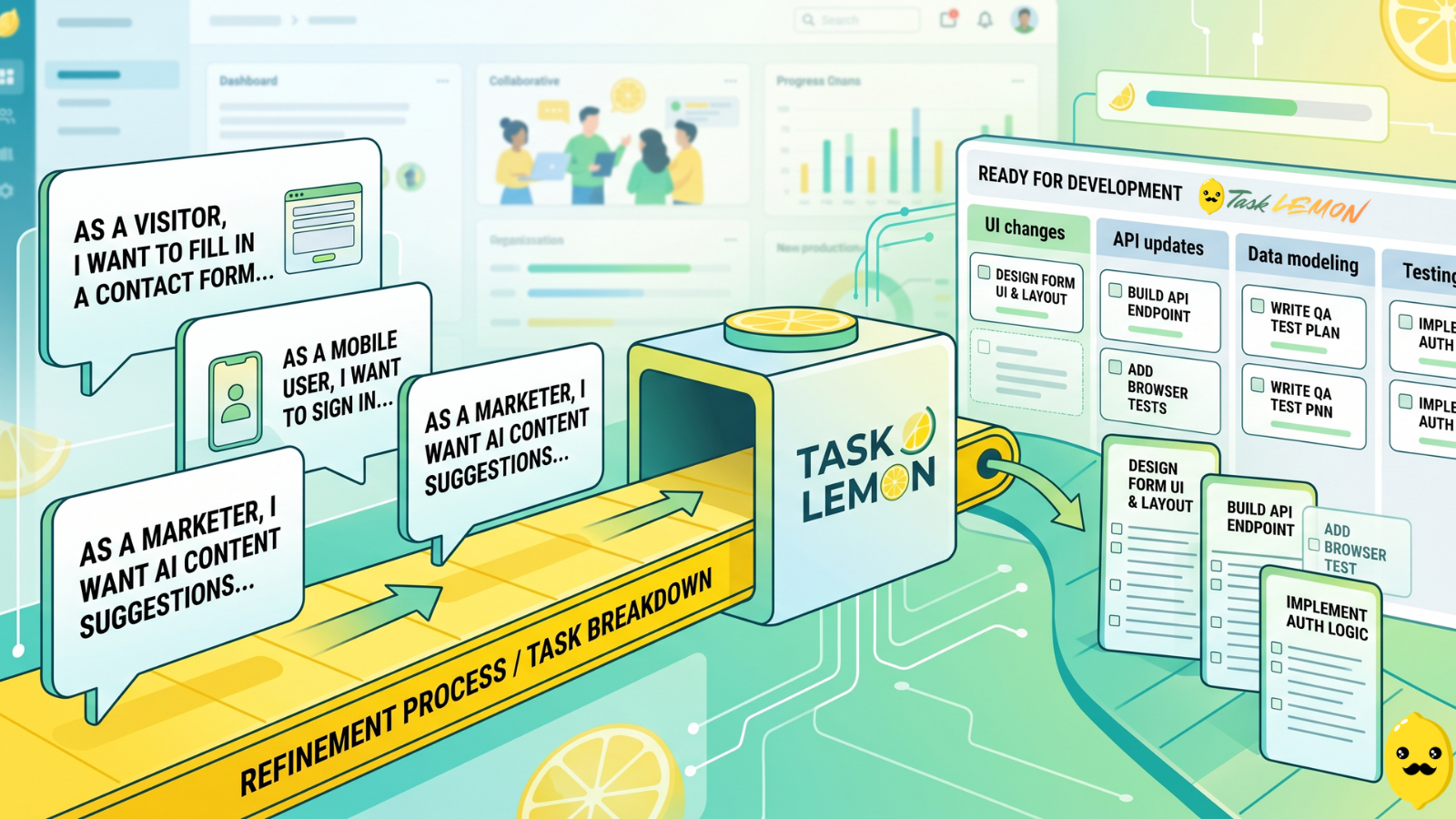
How To Turn User Stories Into Actionable Tasks In Task Lemon
Whether you are a freelancer, an agency, or a cross-functional product team, this guide shows you a repeatable, jargon-free way to take any user story and turn it into real, trackable tasks. Read on to discover how to set up your workflow, slice work vertically, and move your next big idea from the backlog to a shipped feature.
5 Ways Kanban Boards Transform Team Productivity
Discover how visual task management with Kanban boards can help your team work smarter, eliminate bottlenecks, and ship projects faster.